

Selecting the right remote work platform presents CIOs and IT managers with a complex challenge. Enterprise leaders must navigate a landscape where data leaks, compliance violations, and insider threats can cost millions. The stakes are particularly high for distributed teams handling sensitive information across multiple jurisdictions. This article outlines the essential security, monitoring, and data loss prevention features that distinguish enterprise-grade remote work platforms from consumer solutions, helping you make an informed decision that protects your organisation's assets whilst maintaining employee trust.
Table of Contents
- Criteria For Selecting Remote Work Platforms
- Security Features That Protect Enterprise Remote Access
- Data Loss Prevention Capabilities In Remote Platforms
- Monitoring And Productivity Tools With Privacy In Mind
- Comparing Top Remote Work Platforms For Enterprise Use
- Discover Aucupor For Secure Remote Workforce Monitoring
- FAQ
Key takeaways
| Point | Details |
|---|---|
| Security foundations matter | Conditional access, multi-factor authentication, and encryption form the baseline for enterprise remote work platforms |
| Data loss prevention is critical | Real-time monitoring, behavioural analytics, and automated blocking prevent sensitive data from leaving your organisation |
| Privacy balances productivity | Configurable monitoring tools deliver insights without eroding employee trust or triggering attrition |
| Integration drives adoption | Seamless SOAR and SSO compatibility ensures smooth deployment across existing enterprise infrastructure |
| Shadow AI poses new risks | Generative AI platforms like ChatGPT require specialised monitoring to prevent data leaks through employee prompts |
Criteria for selecting remote work platforms
Establishing clear selection criteria helps CIOs cut through marketing noise and focus on features that genuinely protect enterprise assets. Your evaluation framework should address five core dimensions that determine whether a platform can withstand real-world threats.
Security criteria form your first line of defence. Look for platforms offering robust authentication mechanisms, including multi-factor authentication and single sign-on integration. Conditional access policies should enforce device trustworthiness and network requirements before granting entry. End-to-end encryption must protect data both in transit and at rest, whilst audit trails provide forensic capabilities for investigating incidents.
Data loss prevention requirements deserve equal attention. Your platform needs real-time file monitoring across email, USB devices, and cloud storage services. Behavioural analytics powered by machine learning can detect anomalous patterns that signal potential breaches. Automated blocking capabilities should prevent unauthorised sharing before data leaves your perimeter.
Employee monitoring features require careful consideration. Productivity metrics based on application and website usage can inform resource allocation decisions. Screenshot capabilities with configurable frequency and privacy controls help verify work patterns. Idle time detection supports accurate billing and capacity planning. However, excessive surveillance risks damaging morale and increasing turnover.
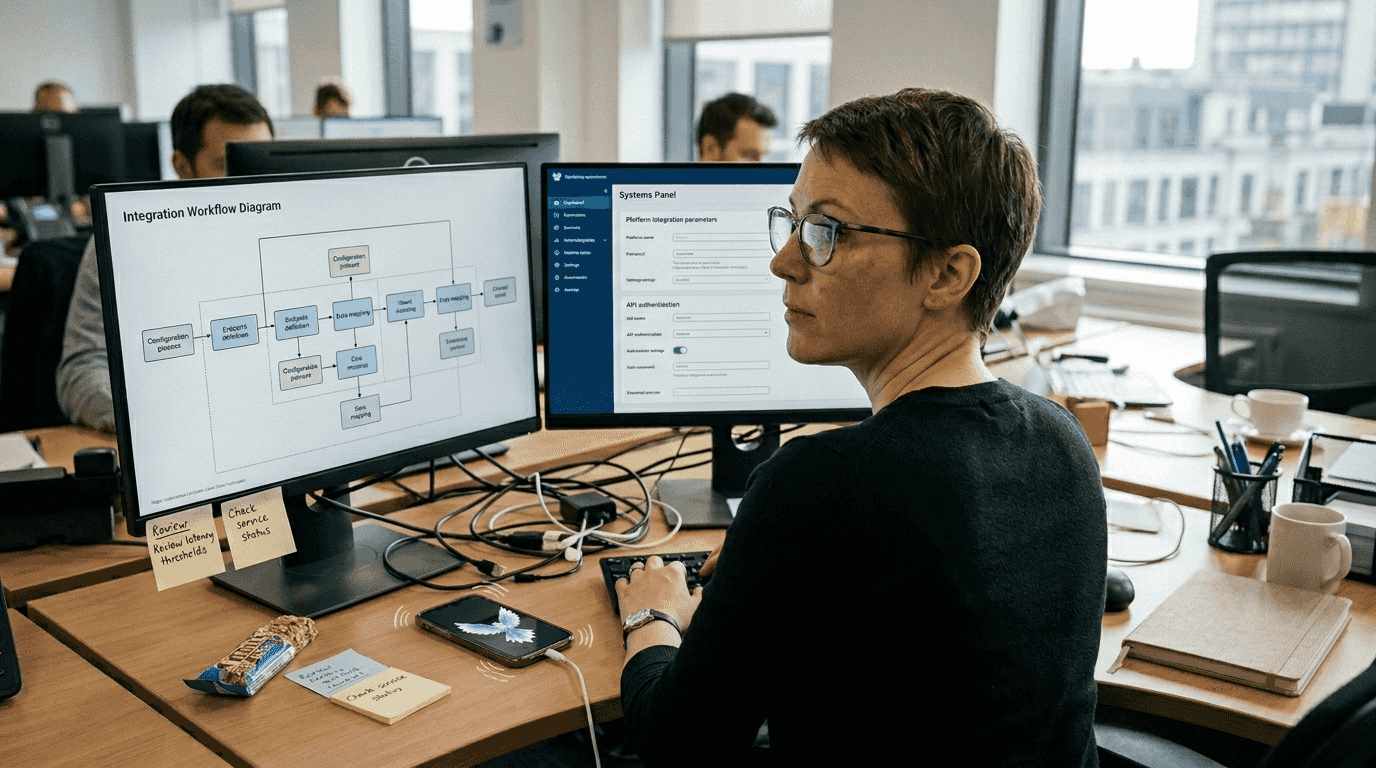
Integration capabilities determine how smoothly new platforms fit your existing infrastructure. Platforms that integrate with SOAR and SSO enable seamless deployment without disrupting workflows. Compatibility with your identity provider, security information and event management system, and ticketing platforms reduces administrative overhead.
Compliance considerations and ethical limits must guide your selection. Ensure platforms meet GDPR, HIPAA, or industry-specific requirements relevant to your operations. Transparent data handling practices and employee consent mechanisms protect your organisation from legal exposure. Balance necessary oversight with respect for individual privacy to maintain a healthy workplace culture.
Key selection criteria:
- Authentication strength and access controls
- Real-time data loss prevention capabilities
- Configurable monitoring with privacy safeguards
- Enterprise system integration readiness
- Regulatory compliance and ethical boundaries
Pro Tip: Pilot platforms with a small team before enterprise-wide rollout to identify integration issues and gather employee feedback on privacy concerns.
Security features that protect enterprise remote access
Authentication and access control mechanisms determine who can reach your systems and under what conditions. Conditional access, SSO, MFA, audit trails, and encryption work together to create defence in depth against unauthorised entry.
Conditional access policies enforce trustworthiness checks before granting remote connections. These policies evaluate device compliance status, network location, user role, and risk score. A device lacking current security patches might receive limited access or require additional verification. Geolocation checks can block connections from unexpected countries, whilst time-based restrictions prevent access outside business hours.
Single sign-on and multi-factor authentication reduce credential-related risks that plague remote work environments. SSO eliminates password fatigue by allowing users to authenticate once across multiple applications. MFA adds a second verification layer, typically combining something you know (password) with something you have (mobile device) or something you are (biometric). This approach defeats most phishing attacks and credential stuffing attempts.
Encryption protects data throughout its lifecycle. Transport Layer Security secures data moving between endpoints and servers, preventing interception by malicious actors. At-rest encryption protects stored data on devices and servers, ensuring that stolen hardware yields only scrambled information. Modern platforms should use AES-256 encryption as a minimum standard.
Audit trails enable forensic analysis and compliance reporting. Comprehensive logging captures authentication attempts, file access, configuration changes, and data transfers. Tamper-proof logs stored separately from production systems provide reliable evidence for investigations. Automated alerts notify security teams of suspicious patterns requiring immediate attention.
Password randomisation and trusted device controls enhance authentication security. Randomised passwords for remote sessions eliminate the risk of credential reuse across systems. Trusted device registries ensure only approved hardware can establish connections, preventing unauthorised personal devices from accessing corporate resources.
Critical security features:
- Conditional access with device and network checks
- SSO integration reducing credential sprawl
- MFA combining multiple verification factors
- End-to-end encryption for data protection
- Comprehensive audit trails for forensics
- Trusted device management and control
Pro Tip: Configure conditional access to automatically block connections from countries where your organisation has no legitimate business presence, reducing your attack surface significantly.
Data loss prevention capabilities in remote platforms
Data loss prevention functionality transforms passive monitoring into active protection against information theft and accidental leaks. Endpoint protection, file monitoring, real-time alerts, behavioural analytics, and blocking work in concert to safeguard sensitive information across distributed teams.
Granular permissions form the foundation of effective DLP. Role-based access control ensures employees see only data necessary for their responsibilities. Document-level permissions prevent unauthorised copying or forwarding of sensitive files. Watermarking and view-only modes add additional layers of protection for highly confidential materials.
Continuous monitoring tracks data movement across all potential leak vectors. Email gateway scanning detects sensitive information in outbound messages before delivery. USB device controls prevent copying to removable media or require encryption for approved transfers. Cloud access security brokers monitor file sharing to external storage services, blocking uploads that violate policy.
AI-powered behavioural analytics detect anomalies that signal potential breaches. Machine learning models establish baseline patterns for each user, flagging unusual data access volumes, off-hours activity, or access to unrelated departments' files. These systems catch insider threats that rule-based approaches miss, including compromised accounts exhibiting subtly abnormal behaviour.
Instant alerts and automated blocking mitigate risk before damage occurs. When suspicious activity triggers detection rules, the system can automatically revoke access, quarantine files, or require manager approval for the action. Security teams receive real-time notifications enabling rapid response to genuine threats whilst automated responses handle routine violations.
Audit trails track suspicious activity providing evidence for investigations and compliance reporting. Detailed logs capture who accessed what data, when, from which device, and what actions they performed. This forensic capability proves invaluable for understanding breach scope and demonstrating due diligence to regulators.
| DLP Capability | Function | Enterprise Benefit |
|---|---|---|
| Granular permissions | Restricts data access by role | Limits exposure to need-to-know basis |
| Email scanning | Analyses outbound messages | Prevents accidental or intentional leaks |
| USB controls | Manages removable media | Blocks unauthorised data copying |
| Behavioural analytics | Detects anomalous patterns | Catches insider threats and compromised accounts |
| Automated blocking | Stops policy violations | Prevents data loss before it occurs |
Essential DLP features:
- Role-based access with document-level controls
- Multi-channel monitoring (email, USB, cloud)
- Machine learning for anomaly detection
- Automated response to policy violations
- Comprehensive audit trails for compliance
Monitoring and productivity tools with privacy in mind
Workforce monitoring tools deliver visibility into remote employee activity whilst navigating the delicate balance between oversight and trust. Screenshot capture, app tracking, productivity scoring, and privacy options provide insights that inform management decisions without creating a surveillance culture that drives talent away.
Screenshot frequency configuration allows organisations to tailor monitoring intensity to role requirements. High-security positions might warrant frequent captures, whilst creative roles benefit from lighter oversight. Privacy-sensitive implementations blur or redact personal information visible in screenshots, protecting employee dignity whilst maintaining accountability.
Productivity scoring based on application and website usage quantifies work patterns objectively. These systems categorise activities as productive, neutral, or unproductive based on business context. A developer spending hours in an IDE scores differently than one browsing social media. However, rigid scoring risks penalising legitimate research or breaks that actually enhance long-term productivity.
Idle time detection supports accurate capacity metrics and billing for client work. Keyboard and mouse activity tracking identifies periods of inactivity, distinguishing between focused work and extended absence. This data helps managers understand true workload and identify employees struggling with assignments who need support.
Privacy options mitigate trust erosion that accompanies surveillance. Configurable blur settings protect sensitive personal information visible during monitoring. Scheduled monitoring windows allow personal time without oversight. Transparent communication about what's monitored and why builds consent rather than resentment.
Balance proves necessary to avoid employee dissatisfaction and attrition. Excessive monitoring increases quitting intent and damages psychological safety that enables innovation. Organisations must weigh security benefits against cultural costs, implementing only monitoring that serves legitimate business needs.
| Platform Feature | Privacy Impact | Productivity Value |
|---|---|---|
| Screenshot capture | High if constant, moderate if configurable | Verifies activity patterns |
| App/website tracking | Moderate with category-based reporting | Identifies workflow inefficiencies |
| Keystroke logging | Very high, invasive | Minimal legitimate business value |
| Productivity scoring | Low with transparent algorithms | Supports objective performance discussions |
| Idle time detection | Low, focuses on presence | Enables accurate billing and capacity planning |
"Monitoring technology delivers undeniable security benefits, but organisations that fail to respect employee privacy face retention challenges that offset those gains. The most successful implementations combine robust oversight with transparent communication and meaningful privacy safeguards."
Balanced monitoring approach:
- Configure screenshot frequency based on role sensitivity
- Use category-based productivity metrics, not keystroke logging
- Implement privacy blur for personal information
- Communicate monitoring policies transparently
- Schedule monitoring-free periods for personal time
- Regularly review necessity of each monitoring feature
Pro Tip: Survey employees anonymously about monitoring practices quarterly to identify concerns before they escalate into retention problems or legal complaints.
Comparing top remote work platforms for enterprise use
Understanding how leading platforms stack up across security, DLP, and monitoring dimensions helps CIOs identify solutions aligned with their specific requirements. This comparison highlights distinctive strengths that differentiate enterprise offerings from basic remote access tools.
| Platform | Security Strengths | DLP Capabilities | Monitoring Features | Integration | | --- | --- | --- | --- | | TeamViewer Tensor | Conditional access, SSO, MFA, audit trails | Basic file transfer controls | Session recording, remote control | SOAR, SSO, enterprise directories | | FileCloud | Encryption, device management | Advanced DLP, behavioural analytics, blocking | File access monitoring | SSO, Active Directory | | Time Doctor | Basic authentication | Limited | Screenshots, app tracking, productivity scoring | Project management tools | | Teramind | MFA, access controls | Comprehensive DLP with AI analytics | Extensive monitoring with privacy options | SIEM, SSO, ticketing systems | | Aucupor | RBAC, EU data sovereignty, GDPR compliance | Shadow AI DLP, prompt monitoring, local redaction | Live screen streaming, minute-by-minute tracking, geolocation | Chrome, Edge, Firefox via Registry, Intune |
TeamViewer Tensor excels at secure remote control with enterprise-grade authentication and conditional access. Its strength lies in IT support scenarios requiring reliable remote desktop access. However, DLP capabilities remain basic compared to dedicated security platforms.
FileCloud prioritises data protection with sophisticated DLP features including behavioural analytics and automated blocking. Its secure file sharing and storage capabilities suit organisations handling sensitive documents. Monitoring focuses on file access rather than broader productivity metrics.
Time Doctor targets productivity tracking with screenshot capture and application monitoring. Its simplicity appeals to smaller teams prioritising time tracking over comprehensive security. Enterprise security features and DLP remain limited.
Teramind delivers comprehensive coverage across security, DLP, and monitoring dimensions. Its AI-powered analytics detect subtle threats whilst configurable privacy settings maintain employee trust. Extensive integration capabilities suit complex enterprise environments.
Aucupor combines robust monitoring with EU data sovereignty, addressing compliance requirements for organisations subject to GDPR. Its invisible agent architecture and role-based access control provide granular oversight without compromising user experience. The platform's Shadow AI DLP capability addresses the emerging threat of data leaks through generative AI platforms, monitoring prompts across ChatGPT, Claude, Gemini, and other LLMs whilst redacting sensitive information locally before logging.
Discover Aucupor for secure remote workforce monitoring
CIOs seeking an integrated solution that addresses security, compliance, and productivity oversight should explore Aucupor's employee monitoring platform. The platform combines real-time screen streaming, application tracking, and geolocation verification with sophisticated data loss prevention capabilities.
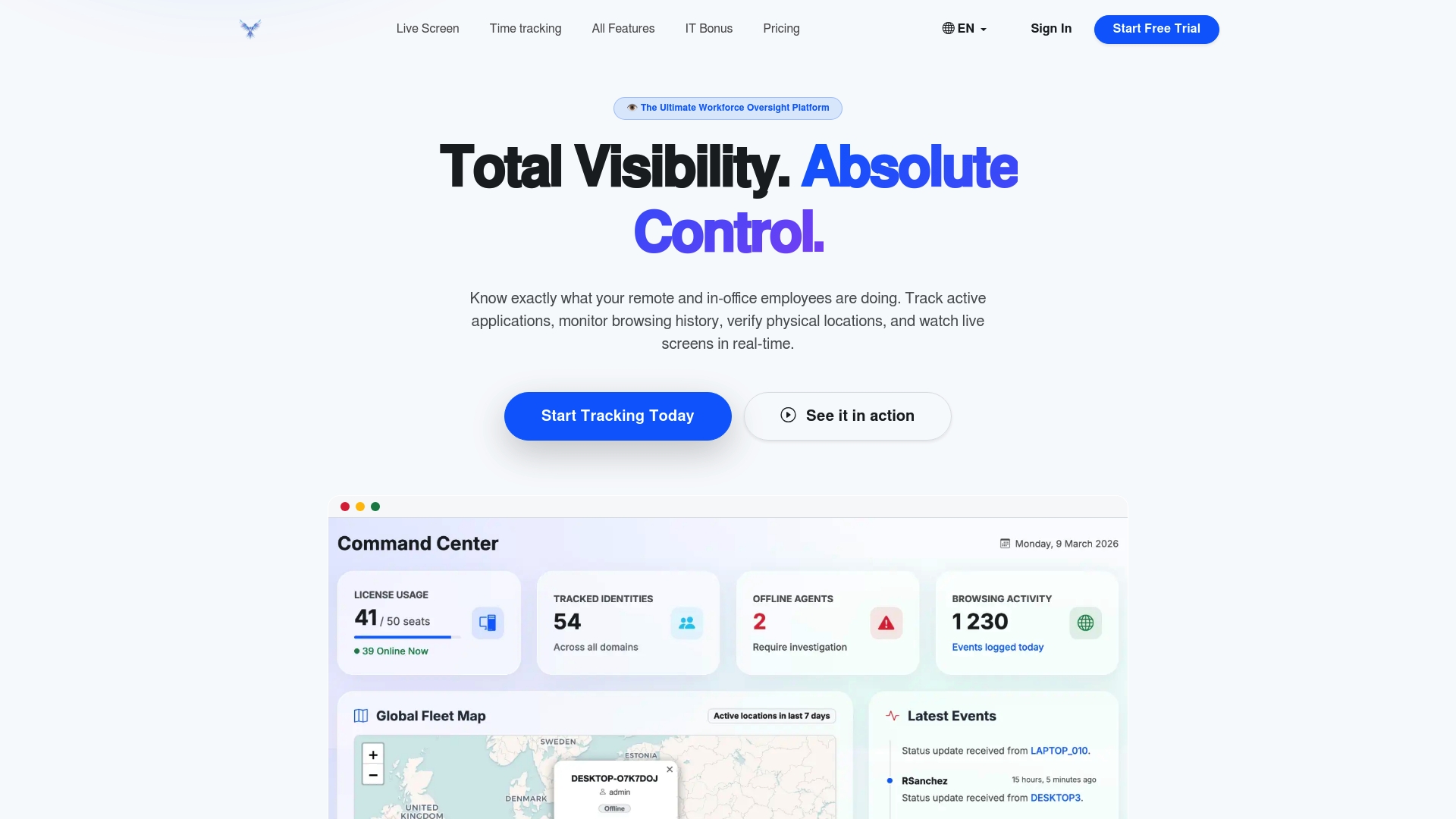
Aucupor's Shadow AI DLP feature tackles the challenge of employees inadvertently leaking sensitive data through ChatGPT, Claude, and other generative AI platforms. The system captures prompts directly from the browser DOM, analyses content locally on the endpoint, and redacts sensitive information before secure logging. This approach achieves approximately 90% redaction effectiveness whilst supporting silent enterprise rollout via Registry and Intune.
Workforce control solutions from Aucupor prioritise data sovereignty by hosting entirely within EU infrastructure, ensuring GDPR compliance and addressing regulatory requirements for European organisations. Granular role-based access control restricts data visibility based on user roles, balancing oversight needs with privacy obligations. Transparent pricing without hidden costs simplifies budgeting whilst cloud-native architecture enables rapid deployment across distributed teams.
FAQ
What are the essential security features in remote work platforms?
Multi-factor authentication, end-to-end encryption, and comprehensive audit trails form the security baseline for enterprise remote work platforms. Conditional access policies that evaluate device compliance and network trustworthiness add crucial protection. Single sign-on integration improves both security and user experience by reducing credential sprawl.
How do remote work platforms prevent data leaks?
Data loss prevention systems use real-time monitoring across email, USB devices, and cloud storage to detect sensitive information leaving your organisation. AI-powered behavioural analytics identify anomalous access patterns that signal potential breaches. Automated blocking capabilities stop unauthorised sharing before data exits your perimeter, whilst granular permissions control who can access specific information.
Can employee monitoring tools respect privacy whilst boosting productivity?
Yes, configurable privacy settings help organisations balance oversight with employee trust. Screenshot blur features protect personal information, scheduled monitoring windows allow private time, and transparent communication about monitoring practices builds consent. However, excessive surveillance risks employee dissatisfaction and increased attrition, so organisations must implement only monitoring that serves legitimate business needs.
What integration capabilities enhance remote work platform effectiveness?
Integration with security orchestration, automation, and response platforms enables coordinated threat response across your security stack. Single sign-on compatibility simplifies user management and reduces authentication friction. Connections to your SIEM system, ticketing platform, and identity provider reduce administrative overhead whilst improving security posture through better visibility and automated workflows.
How does Shadow AI DLP protect against generative AI data leaks?
Shadow AI DLP monitors employee prompts across ChatGPT, Claude, Gemini, and other large language models to prevent sensitive data leaks. The system captures prompts directly from the browser using Native Messaging, analyses content locally on the endpoint device, and redacts corporate data, source code, and personally identifiable information before secure logging. This approach achieves approximately 90% redaction effectiveness whilst enabling silent enterprise rollout via Registry and Intune without manual user intervention.
What compliance standards should enterprise remote work platforms meet?
Platforms must comply with regulations applicable to your industry and geography, including GDPR for European operations, HIPAA for healthcare data, and SOC 2 for service organisations. Data sovereignty requirements may mandate hosting within specific jurisdictions. Transparent data handling practices, employee consent mechanisms, and comprehensive audit trails demonstrate due diligence to regulators whilst protecting your organisation from legal exposure.